
You want to change your own password — typically right after first-boot.
We recommend replacing the initial password at the first login. It is printed on the label and the delivery note (on older devices: shown at activation); anyone who gets hold of either can otherwise sign in. Devices with a serial number take you straight to the change after the first sign-in with the label password; older devices do not force it.
Steps
-
Click the cog icon top-right → you are in the settings.
-
Pick Profile in the left sidebar.
-
In the Change Profile Details form enter a new password and confirm it in the second field. The line under the field states what the password policy requires, by default at least 10 characters and not the username.
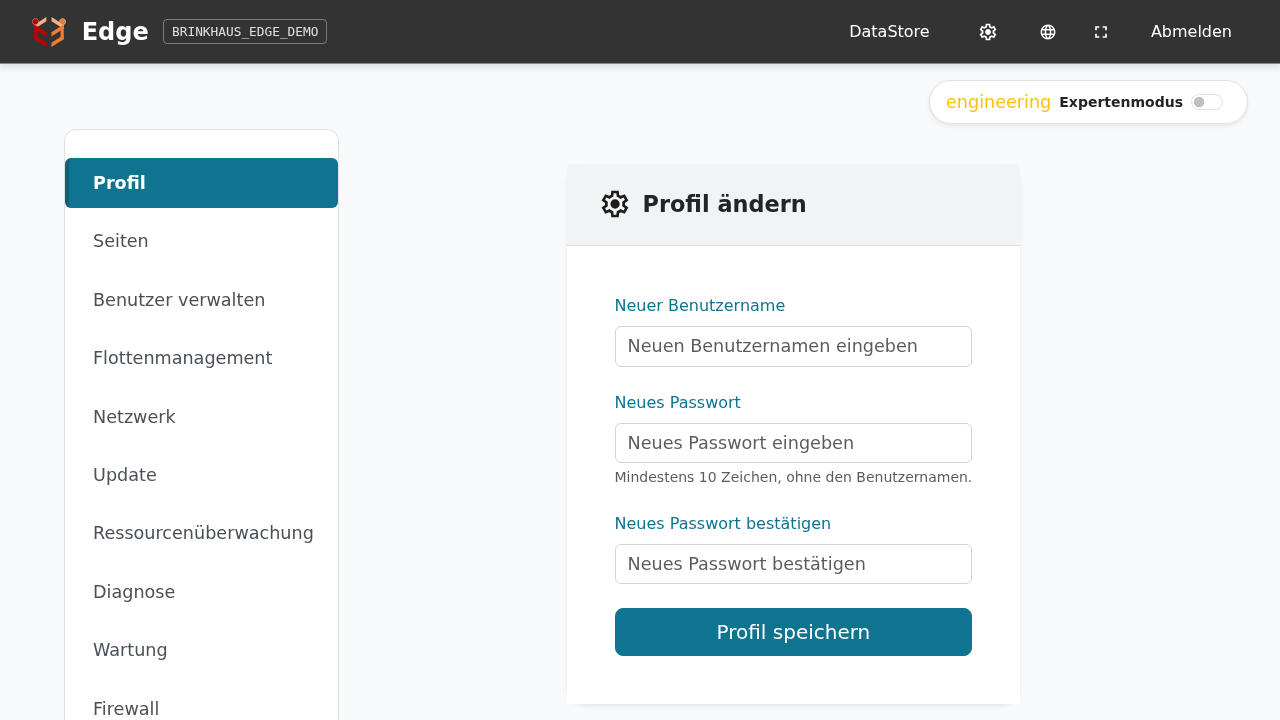
-
Optional: also change the username.
-
Click Save Profile Changes.
On the next login use the (possibly new) username and the new password.
Notes
-
If the new password does not meet the policy, the old one stays valid and the reason appears at the top. An admin sets the policy under Manage users.
-
Once you set a password of your own, the initial password no longer works for your account — neither the one from the label nor the one derived from the machine ID. You alone are responsible for it from then on.
-
What fleet management learns: only whether the initial password was changed — never the password itself, neither the old nor the new one. It counts as changed only once no account on the device still uses the initial password from the label; if one operator changes theirs but
admindoes not, it stays “unchanged”. The fleet does not learn of the change immediately, at the latest after the next restart of the device. On devices activated with a machine ID (even with a serial number assigned later) the edge cannot tell and does not report it. -
If you lose your password, a user with
network-configuration(or other admin) permission can set a new one in Settings → Manage Users. -
If access is fully lost, Brinkhaus personnel can re-derive the initial password: on devices with a serial number from the serial number and a key that is never stored on the device, on older devices from the machine ID. That only helps while some account still uses the initial password.
-
If the initial password has been changed as well, the Brinkhaus service sets a one-time password for your account through fleet management. The device must be connected to fleet management for that. The password travels encrypted, only your device can read it. Whoever signs in with it is first asked to choose a password of their own, as with the label password; the one-time password itself is refused there.
-
From gmn-2.34.0 the machine ID is shown in the header, next to the plant name, so you can see which system you are on. On narrow screens it is hidden. It appears only after you sign in, deliberately: on devices activated with a machine ID, the initial password is derived from it. On a system whose password has not been changed since commissioning, putting it on the login page would offer it to anyone who can reach the device over the network. On devices shipped with a serial number the header shows the serial number in lowercase (e.g.
sn00100); the password cannot be derived from it alone. Devices activated with a machine ID keep showing their machine ID, even if they received a serial number later.