
When you click Upgrade or Downgrade in Settings → Update, a multi-stage process kicks off. This page explains what happens in the background — useful when something doesn’t go as expected.
Components involved
- MainUI — the UI that catches the click and downloads the update files.
- BOS Update Server (
https://update.brinkhaus-gmbh.de) — the central source of all firmware versions, signed with an Ed25519 key. - UpdateService — a separate background container on the edge that orchestrates the swap. It lives in its own compose stack, not the main stack, because it must restart the main stack without tearing itself down.
Phase 1: selection + download (MainUI)
- MainUI fetches the available-versions list from the update server.
- You click a version → MainUI downloads three files in this exact order:
public-key.pem— the public signing keydocker-compose.yml.sig— the signature over the new compose filedocker-compose.yml— the compose file itself (last!)
- MainUI verifies the Ed25519 signature. On failure → diagnosis code 1009, update aborted.
- The three files now sit under
/home/gmn-service/docker/updates/data/. Writing the compose file is the trigger event for the UpdateService.
Phase 2: 7-phase deploy (UpdateService)
The UpdateService polls the staging directory every 10 seconds. As soon as it finds a new docker-compose.yml, the following sequence runs:
| Phase | Action |
|---|---|
| 1 | Validation — staged compose file exists and is syntactically valid? |
| 2 | Backup — copy the current compose file and description.json to the backup directory. |
| 3 | Stop — docker compose stop + docker compose rm -f for the main stack (not down, so the shared bos-internal network survives). |
| 4 | Deploy — atomic copy of the new files to the live location. config.json is not overwritten (MainUI merges new defaults at startup). |
| 5 | Start — regenerate .env (for the current multi-IP list), docker compose pull, docker compose up -d. |
| 6 | Health check — container stability (≥ 10 s uptime, no restart loops) and HTTP probe against http://localhost:5000/api/version inside the container. |
| 7 | Cleanup (on success) or rollback (on failure). |
The UI is unreachable for the duration.
Phase 3: rollback (only on failure)
If the health check is not green within 90 seconds, the UpdateService rolls back automatically:
- Stop the stack with the new version.
- Copy the backup compose + description to the live location.
- Bring up the stack with the old version.
- Emit diagnosis codes 2005 (rollback initiated), then 2006 (succeeded) or 2007 (failed).
💡 One-cycle backwards-compatibility: the previous UpdateService runs the health check during an upgrade — so the new MainUI must keep answering
http://localhost:5000/api/versionexactly as the old UpdateService expects, for at least one upgrade cycle. This rule was violated in 2.1.0 — every upgrade from 2.0.x rolled back; 2.1.1 fixed it.
What do the versions in the service table mean?
Settings → Update shows not just the firmware version (e.g. 2.2.1) but also individual versions of each Docker container:
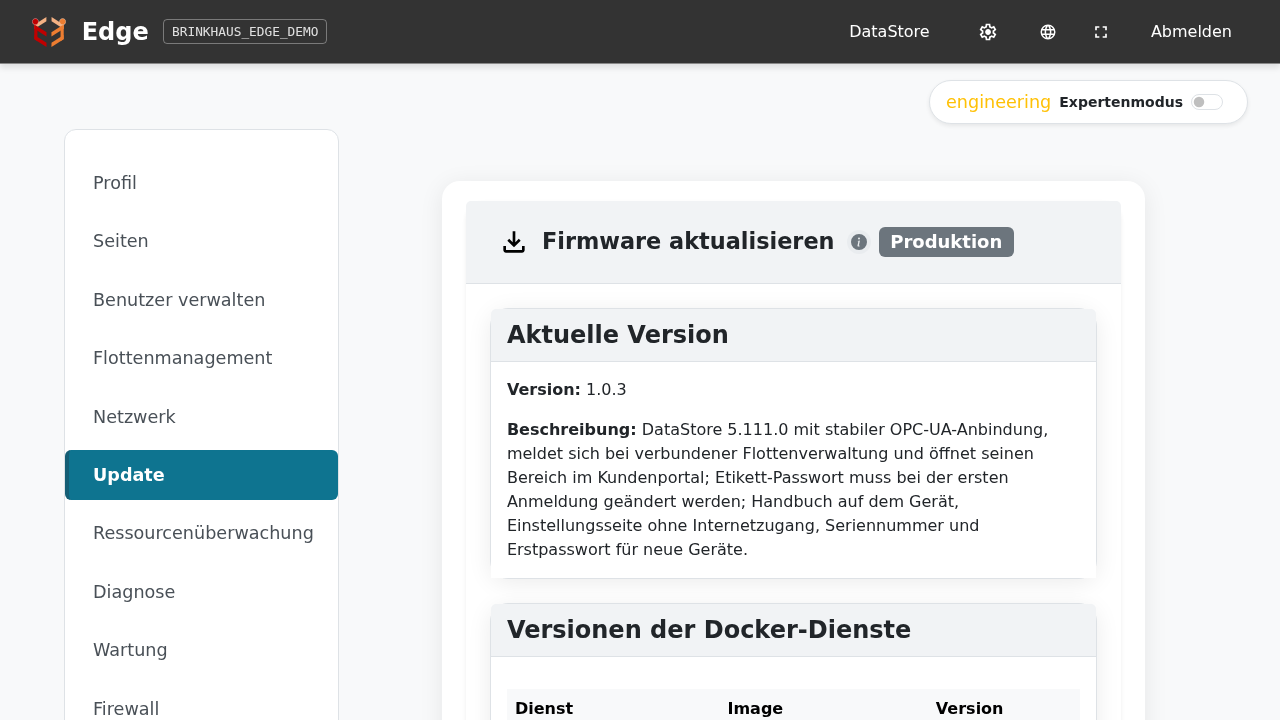
A firmware version is a bundle of compatible service versions, fixed in the shipped docker-compose.yml. An update therefore doesn’t just replace one image — it deploys a tested combination of all the stream’s containers.
Related
- Update firmware — the on-screen steps
- Diagnosis codes — what every update-error code means (range 2xxx)